
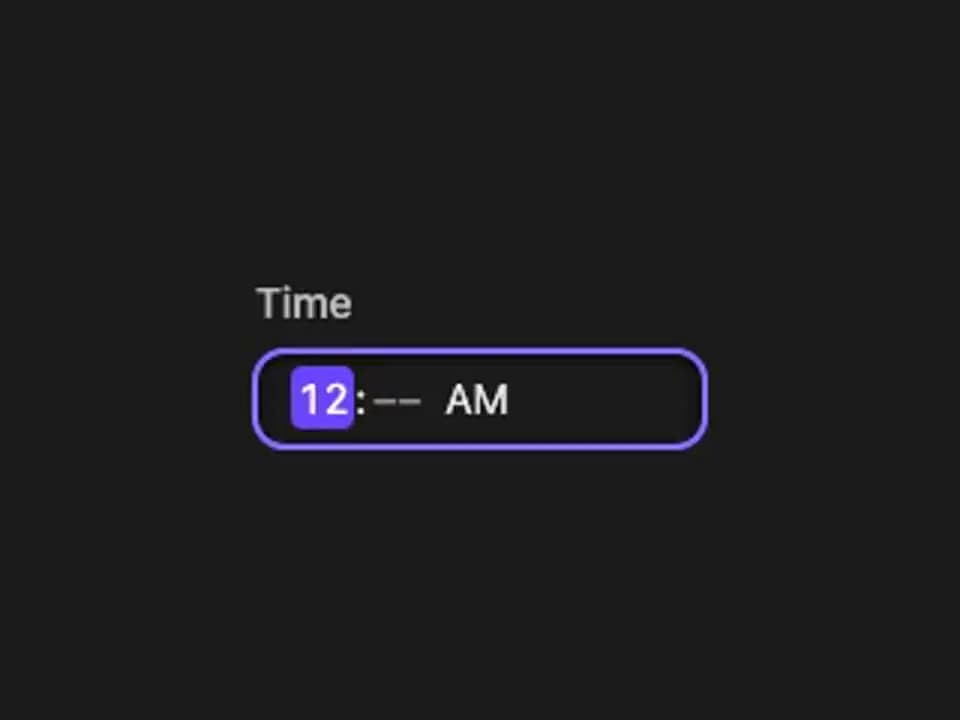
About
React Aria TimeField component with the original source demo.
Built with React and Tailwind. Copy the prompt and paste it into Claude Code, Cursor or Lovable: your agent adds React Aria TimeField to your project and fits it to your theme.
Code
How React Aria TimeField is used: the demo's code. The component's own source comes with a free account.
Usage.tsx
"use client";
import {ThemeProvider as LibraryDemoThemeProvider} from "next-themes";
import {TimeField} from "@/components/ui/aria-css-timefield";
function SourceSpecimen(){return <>
<TimeField label="Time" />
</>}
export default function LibraryRegistryPreview(){return <LibraryDemoThemeProvider defaultTheme="light" enableSystem={false}><div data-component-demo data-demo-theme="source" data-theme="light" className="light" style={{background:"var(--background-color, #fff)",color:"var(--text-color, #171717)"}}><div className="relative w-full min-w-0 max-w-5xl min-h-[400px] flex items-center justify-center"><SourceSpecimen/></div></div></LibraryDemoThemeProvider>}
Dependencies
More by py_ets
View all
Alert Dialog
16
Progress Bar
12
Command Palette
10
React Aria CheckboxGroup
10
Segmented Control
8
React Aria DatePicker
8
React Aria GridList
7
React Aria Switch
7