
About
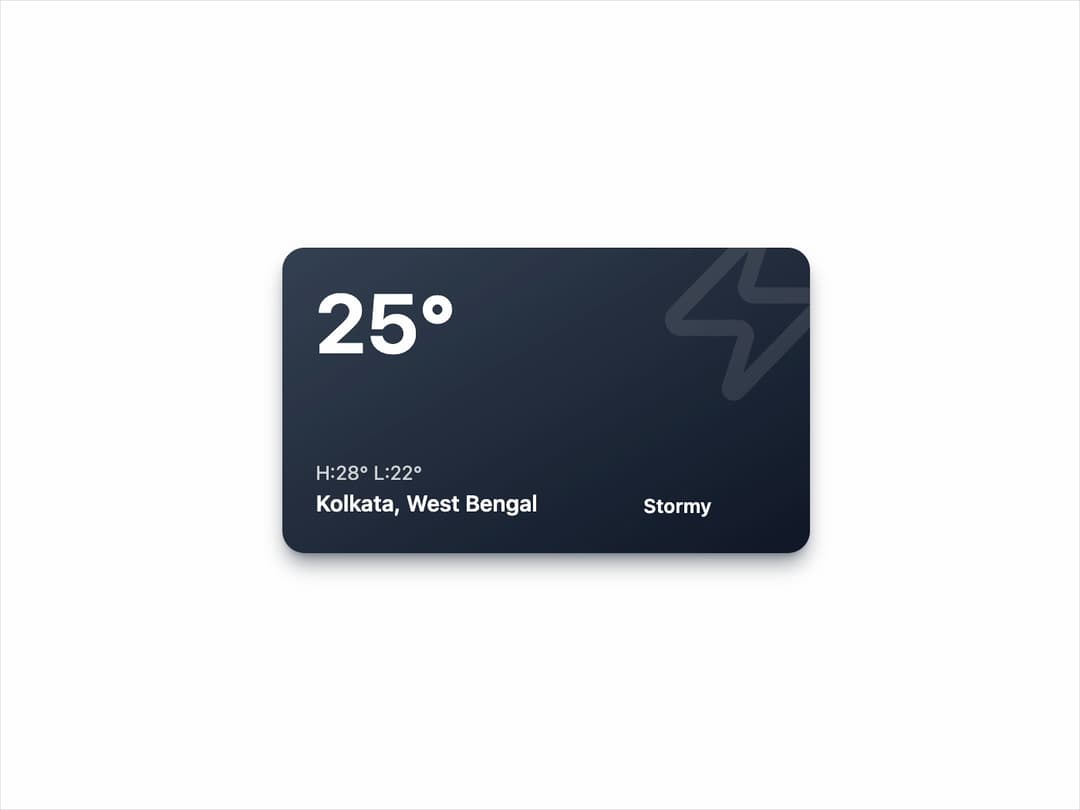
A modern, gradient-based weather information card displaying the current temperature, high/low forecast, location, and weather condition icon. The design features bold typography, clean spacing, and a subtle weather icon in the background, making it visually appealing and easy to read. Ideal for dashboards, travel apps, and weather widgets.
Built with React and Tailwind. Copy the prompt and paste it into Claude Code, Cursor or Lovable: your agent adds Weather Card to your project and fits it to your theme.
Code
How Weather Card is used: the demo's code. The component's own source comes with a free account.
Usage.tsx
import React, { useState, useEffect } from "react";
import { Sun, Cloud, CloudRain, Zap } from "lucide-react";
import { WeatherCard, type WeatherCardProps } from "@/components/ui/weather-card"; // Adjust the import path as needed

// Define the type for weather styles keys
type WeatherCondition = "Sunny" | "Cloudy" | "Rainy" | "Stormy";

// Sample data to cycle through for the demo
const weatherData: (Omit<WeatherCardProps, 'condition'> & { condition: WeatherCondition })[] = [
  {
    temperature: 28,
    high: 32,
    low: 25,
    location: "Ludhiana, Punjab",
    condition: "Sunny",
    icon: <Sun />,
  },
  {
    temperature: 22,
    high: 26,
    low: 20,
    location: "Mumbai, Maharashtra",
    condition: "Cloudy",
    icon: <Cloud />,
  },
  {
    temperature: 18,
    high: 21,
    low: 16,
    location: "Bengaluru, Karnataka",
    condition: "Rainy",
    icon: <CloudRain />,
  },
  {
    temperature: 25,
    high: 28,
    low: 22,
    location: "Kolkata, West Bengal",
    condition: "Stormy",
    icon: <Zap />,
  },
];

export default function WeatherCardDemo() {
  const [currentIndex, setCurrentIndex] = useState(0);

  // Effect to change the weather data every 3 seconds to showcase animations
  useEffect(() => {
    const interval = setInterval(() => {
      setCurrentIndex((prevIndex) => (prevIndex + 1) % weatherData.length);
    }, 3000);

    // Cleanup interval on component unmount
    return () => clearInterval(interval);
  }, []);

  const currentData = weatherData[currentIndex];

  return (
    <div className="flex h-full w-full items-center justify-center rounded-lg bg-background p-4">
      <WeatherCard
        temperature={currentData.temperature}
        high={currentData.high}
        low={currentData.low}
        location={currentData.location}
        condition={currentData.condition}
        icon={currentData.icon}
      />
    </div>
  );
}
Dependencies
More by Ravi Katiyar
View all

Animated Shader Hero
3.8K
Hero
3.4K
Circular Gallery
3K
Minimalist Hero
2.8K
Glass Calendar
2K
Floating Icons Hero Section
2K
Feature Carousel
1.8K
AI Image Generator Hero
1.5K
More in Cards
View all

Course Design Cards
1.3K

Photo Deck
47
Folded Card
45

Statistics Card 10
304
Statistics Card 2
309
Statistics Card 7
336

CTA Section
6

Liquid Glass Card
198
