
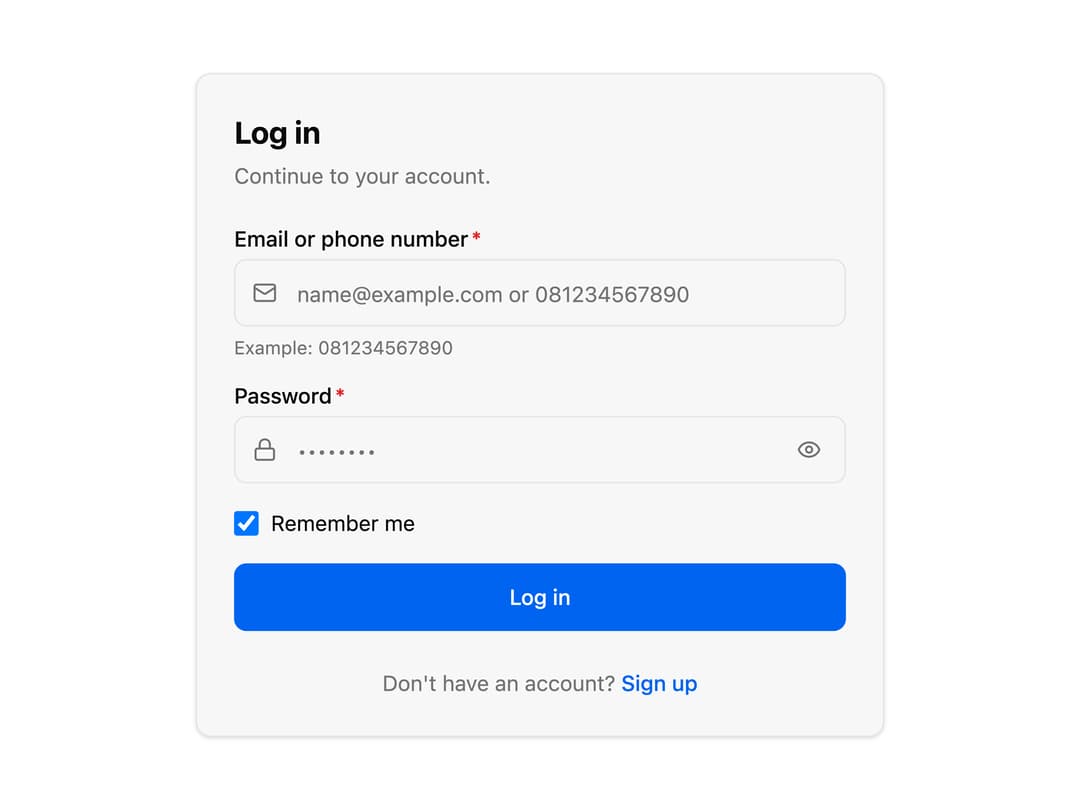
About
A login form with an email-or-phone identifier field, password/PIN visibility toggle, remember-me checkbox, inline validation, and optional social sign-in buttons, for building an app's sign-in screen.
Built with React and Tailwind. Copy the prompt and paste it into Claude Code, Cursor or Lovable: your agent adds Auth Login Screen to your project and fits it to your theme.
Code
How Auth Login Screen is used: the demo's code. The component's own source comes with a free account.
Usage.tsx
"use client";
import * as React from "react";
import LoginScreen from "@/components/ui/auth-login";
export default function AuthLoginDemo() {
return (
<div className="flex min-h-screen w-full items-center justify-center bg-background p-6">
<LoginScreen
title="Log in"
subtitle="Continue to your account."
identifierType="both"
secretType="password"
onSubmit={async ({ secret }) => {
await new Promise((resolve) => setTimeout(resolve, 1200));
if (secret !== "demo1234") {
return { error: "Invalid credentials. Try password: demo1234" };
}
}}
footer={
<span className="text-muted-foreground">
Don't have an account?{" "}
<a href="#" className="font-medium text-brand hover:underline">
Sign up
</a>
</span>
}
/>
</div>
);
}
Dependencies
More by serayudigital
View all
Date Picker
13
Theme Toggle
3
Time Picker
2
Mobile Search
Data Table
Chat Bubble
More in Sign-in
View all

Pro Sign-in Animation
99

Modern & Stunning sign in
1.8K
SignInPage
794
Sign In
112
Clean & Minimal sign in
692
Sign In Auth Card
14

Sign In Form
220
X Modern & Stunning sign in
32


