About
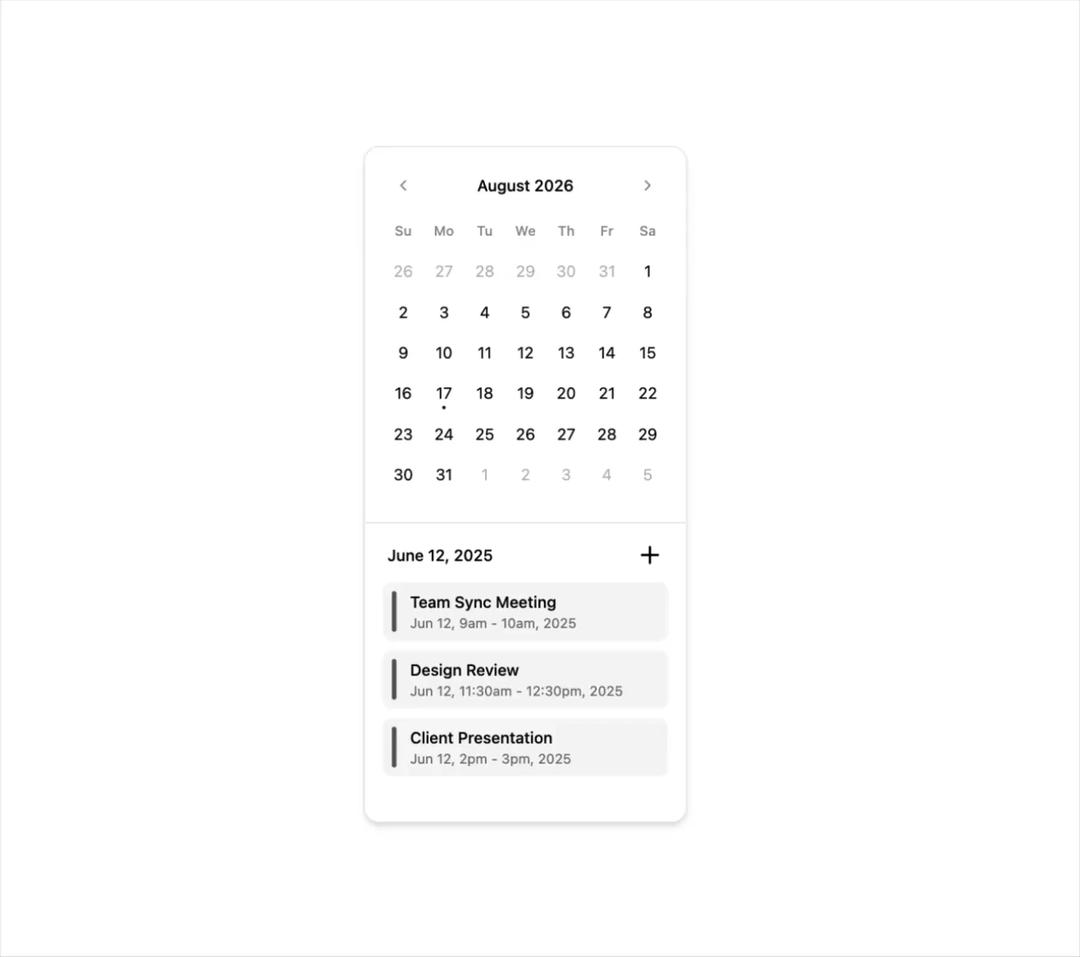
Here is Shadcn calendar component with event slots
Built with React and Tailwind. Copy the prompt and paste it into Claude Code, Cursor or Lovable: your agent adds Calendar with event slots to your project and fits it to your theme.
Code
How Calendar with event slots is used: the demo's code. The component's own source comes with a free account.
Usage.tsx
"use client"

import * as React from "react"
import { formatDateRange } from "little-date"
import { PlusIcon } from "lucide-react"

import { Button } from "@/components/ui/button"
import { Calendar } from "@/components/ui/calendar"
import { Card, CardContent, CardFooter } from "@/components/ui/card-shadcn"

const events = [
  {
    title: "Team Sync Meeting",
    from: "2025-06-12T09:00:00",
    to: "2025-06-12T10:00:00",
  },
  {
    title: "Design Review",
    from: "2025-06-12T11:30:00",
    to: "2025-06-12T12:30:00",
  },
  {
    title: "Client Presentation",
    from: "2025-06-12T14:00:00",
    to: "2025-06-12T15:00:00",
  },
]

export function Calendar31() {
  const [date, setDate] = React.useState<Date | undefined>(
    new Date(2025, 5, 12)
  )

  return (
    <Card className="w-fit py-4">
      <CardContent className="px-4">
        <Calendar
          mode="single"
          selected={date}
          onSelect={setDate}
          className="bg-transparent p-0"
          required
        />
      </CardContent>
      <CardFooter className="flex flex-col items-start gap-3 border-t px-4 !pt-4">
        <div className="flex w-full items-center justify-between px-1">
          <div className="text-sm font-medium">
            {date?.toLocaleDateString("en-US", {
              day: "numeric",
              month: "long",
              year: "numeric",
            })}
          </div>
          <Button
            variant="ghost"
            size="icon"
            className="size-6"
            title="Add Event"
          >
            <PlusIcon />
            <span className="sr-only">Add Event</span>
          </Button>
        </div>
        <div className="flex w-full flex-col gap-2">
          {events.map((event) => (
            <div
              key={event.title}
              className="bg-muted after:bg-primary/70 relative rounded-md p-2 pl-6 text-sm after:absolute after:inset-y-2 after:left-2 after:w-1 after:rounded-full"
            >
              <div className="font-medium">{event.title}</div>
              <div className="text-muted-foreground text-xs">
                {formatDateRange(new Date(event.from), new Date(event.to))}
              </div>
            </div>
          ))}
        </div>
      </CardFooter>
    </Card>
  )
}
More by shadcn
View all

Navigation menu
813
Calendar with time pressets
531
Sidebar
365
Sonner
255
Chart
231
Icons
212
Dropdown Menu
163
Data Table
123
More in Cards
View all

Course Design Cards
1.3K

Photo Deck
47
Folded Card
45

Statistics Card 10
304
Statistics Card 2
309
Statistics Card 7
336

CTA Section
6

Liquid Glass Card
198
