
About
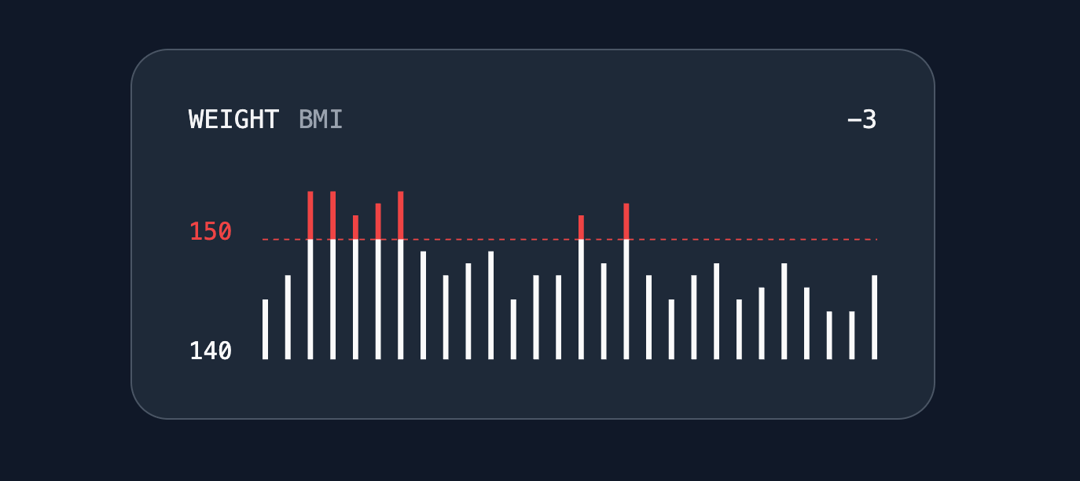
This React component displays a customizable weight and BMI tracking widget. It features an animated bar graph visualizing weight or BMI data over time against a user-defined threshold. Users can switch between weight and BMI views, and the widget supports both US and metric systems.
Built with React and Tailwind. Copy the prompt and paste it into Claude Code, Cursor or Lovable: your agent adds Weight and BMI Tracking Widget to your project and fits it to your theme.
Code
How Weight and BMI Tracking Widget is used: the demo's code. The component's own source comes with a free account.
Usage.tsx
import WeightWidget from "@/components/ui/weight-and-bmi-tracking-widget";

export default function DemoOne() {
  // Custom dataset example
  const customMetricDataSets: GraphData[] = [
    {
      data: [65, 66, 64, 67, 65, 63, 64, 66, 65, 64, 63, 65, 66, 64, 65],
      threshold: 65,
      mode: 'weight',
      name: 'Weight (kg)',
      ariaLabel: 'Weight chart in kilograms. Threshold is 65kg. 15 bars.'
    },
    {
      data: [22.1, 22.4, 21.7, 22.7, 22.1, 21.4, 21.7, 22.4, 22.1, 21.7, 21.4, 22.1, 22.4, 21.7, 22.1],
      threshold: 22.0,
      mode: 'bmi',
      name: 'BMI',
      ariaLabel: 'BMI chart. Threshold is 22.0. 15 bars.'
    }
  ];

  return (
    <div className="min-h-screen w-full bg-gray-100 dark:bg-gray-900 flex items-center justify-center p-6 transition-colors duration-300">
      <div className="space-y-8 w-full max-w-2xl">
        {/* Default US system widget */}
        <WeightWidget />

        {/* Custom metric system widget - uncomment to use */}
        {/*
        <WeightWidget
          system="metric"
          height={175} // cm
          weights={[65, 66, 64, 67, 65, 63, 64, 66, 65, 64]}
          weightThreshold={65}
          locale="en-US"
        />
        */}

        {/* Custom dataset widget - uncomment to use */}
        {/*
        <WeightWidget
          customDataSets={customMetricDataSets}
          locale="en-US"
          className="border-2 border-blue-200"
        />
        */}
      </div>
    </div>
  );
};
More by Sonu kumar
View all
Dashboard with Collapsible Sidebar
2.6K
Modern Hero
1.5K
Text Parallax Content (scroll)
1.2K
Modern Animated Hero Section
1.2K
About Us section
1.2K
Animated Hero Section
713
Cuisine Selector Chips
611
Bounce card features
604
More in Buttons
View all
Button
20

Button
3

Button Group
18

Button
149

Icon Label Subtext Button
69

Button
9

Button
37
Texture Button
113

